
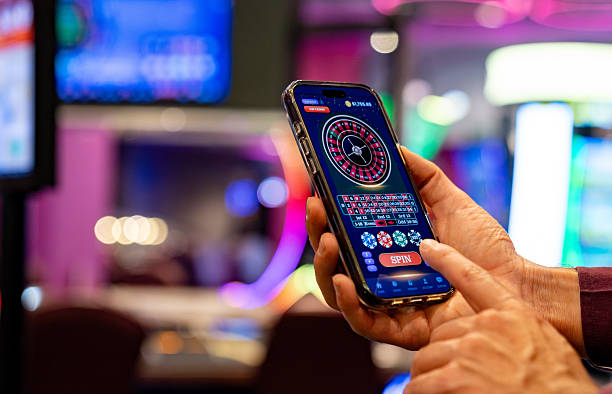
ACCOUNT
Access and verification
See the account sequence before entering personal details: create the record, confirm your phone and use…
ciptawin puts rocketslot, Royal Fishing, live baccarat and football markets behind one account, with DANA and QRIS status close to the lobby.
Casino and slots open from the same home-page category row, with search available for titles such as Andar Bahar and rocketslot.
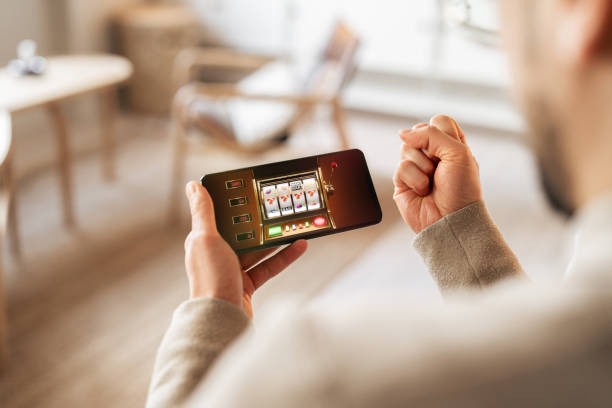
Move from slot rooms and live tables to Royal Fishing and the sportsbook while your account and wallet status stay within reach.
Pragmatic Play, PG Soft and Habanero appear beside other recognisable studios, helping you identify a game source before opening its lobby card.
DANA and QRIS appear as direct cashier choices, while OVO and GoPay show their wallet status before you continue.
The home page is more useful when every destination answers a specific account question. We keep durable areas for access, cashier status, casino search, sports markets and policy terms instead of hiding…



A clear first visit saves you from searching through separate pages. Our home page points you toward account opening, phone verification, the main lobby and account…
Start from the account link on our home page, enter the requested details and follow the displayed confirmation steps. We keep the path separate from the cashier so you know which stage comes first.
Complete the phone verification shown before account access. The confirmation step connects your account to one number and helps our support team identify the correct record if your access later stalls.
Use the category row to reach slots, live casino, Royal Fishing or the sportsbook. Football, badminton and basketball markets sit in the sports area rather than being mixed into casino search results.
Choose a password you do not use elsewhere, keep verification messages private and sign out on shared devices. Your account page also provides the direct route for requesting help with access.
When account access or wallet status stalls, open Help from the home menu or the cashier link. We separate account questions from transaction checks so you can provide the useful details first. The Help area displays current live-chat availability, while email remains suitable for receipts and longer explanations. On mobile, the same contact route stays inside the menu without sending you through the game lobby.
Open live chat from Help for access or wallet-status questions. Check the service hours displayed beside the chat entry, then share your account reference without sending your password or verification code.
Use the email route shown in Help when you need to attach a payment receipt or explain several steps. Include the transaction reference and displayed status so we can locate the request.
Tap the Help entry in the mobile menu from either the lobby or cashier. It keeps account assistance close without requiring a separate download or a search through casino categories.
Phone access starts in your browser and uses the same account path as the main home page; we do not require you to search for a separate app.
Phone verification creates a clear checkpoint before protected account access. Once inside, keep your password private, check the displayed wallet destination and sign out from shared…
We ask you to complete the phone step displayed during account setup before protected access. This creates a defined account checkpoint and gives support a clearer route when confirmation stalls.
Use a unique password and never share verification messages. If you use a shared phone, tablet or desktop, sign out through the account menu when you finish.
Confirm the amount and displayed destination before submitting a cashier request. Your resulting status and reference help us trace DANA, QRIS, bank transfer or virtual account activity.
Open the rules attached to the selected game or table before starting. Paytables, table controls and market terms stay with their categories instead of being replaced by general claims.
Searching separate pages for games, payment instructions and contact details creates avoidable uncertainty. Our home page keeps each task in a named area and preserves a route back to the lobby.
Slots, live casino, fishing rooms and sports each have a visible route. You do not need to rely on an external list to determine where Andar Bahar or Royal Fishing belongs.
Recognisable names such as Pragmatic Play, PG Soft and Habanero appear within the provider area. This helps you connect a game card with its studio before opening the title.
DANA, OVO, GoPay and QRIS are presented together in the cashier. Bank transfer and virtual account steps remain separate, preventing wallet instructions from being applied to a bank request.
Submitted cashier requests produce a status you can inspect and reference. That is clearer than relying on an informal message or searching outside your account for a transaction update.
Help links sit near account and cashier routes, with live chat availability displayed in the Help area. Email is available for receipt-based questions that need a fuller written explanation.
The home footer connects you to account terms and privacy text. This keeps regional access wording and data-handling details within the same site path used to open your account.
Game information varies by category, so the home lobby directs you to the relevant rules before a round starts.
Open the title details to inspect its paytable, feature rules and any return data supplied for that specific game.
Check table status, stake range and baccarat rules before taking a seat in the streamed live area.
Use each table panel to confirm its rules and available controls because table settings can differ.
Royal Fishing displays its own controls and round details inside the game rather than on the sportsbook page.
Football, badminton and basketball selections carry market-specific terms on the bet panel before submission.
Our home page is configured for Indonesia payment names, account steps and mobile browsing. From Yogyakarta, you can reach the same lobby categories, QRIS cashier route and Help menu shown elsewhere in supported regions. Availability can vary by location and depends on local law. Check the access message presented on your device before creating an account, and use the policy links in the footer when you need the applicable account terms.
The home page earns its place by making useful actions visible. A searchable slot area, streamed live tables, Indonesia sports topics, four wallet shortcuts, phone verification…
Search the slot lobby by title instead of scrolling every card. rocketslot and onlinebingo provide concrete starting points, while category filters help narrow the screen on a phone.
Baccarat, roulette, Dragon Tiger and blackjack sit in the live area with table status attached. Larger screens show broader table cards, while mobile keeps the controls within the browser path.
Football, badminton and basketball markets appear in the sportsbook when configured events are available. Market terms stay on the bet panel rather than being mixed with casino game rules.
DANA, OVO, GoPay and QRIS appear as recognisable cashier choices. Their displayed availability helps you select the intended rail without guessing from a generic wallet label.
The account flow states when phone confirmation is required before protected access. Following that sequence reduces login confusion and gives support a clear checkpoint if your message does not arrive.
Account and cashier screens retain a route to Help, so assistance is not buried inside the lobby. Live chat, email and mobile help cover different question types.
These answers cover the practical questions people search before using the ciptawin Home page: what sits inside the lobby, how account access begins, which Indonesia rails appear, where mobile access starts and how support works. Check the current status displayed on your screen because games, markets and cashier availability can change by account or region.
Begin with the account area if you are new, or use the category row when your access is already active.
Choose the account area to see creation and phone-confirmation steps in sequence. Complete the displayed checks before attempting protected lobby or cashier actions, and keep your verification messages private.
Use the category row for slots, live casino, Royal Fishing or sports. Search by title for a specific game, or open the sportsbook for football, badminton and basketball markets.
Select the required local rail and inspect the amount, destination and status fields shown on screen. Keep the resulting transaction reference if you may need a receipt check.
Open Help for live chat hours, email contact and mobile assistance. Use the footer for account terms, privacy text and regional access wording before making an account decision.